

General Questions
What is Softbook?
Softbook LMS is a platform where online schools host their courses. If you are here, it means that an online school has enrolled you as a student in one or more of its courses. If you have any technical or organizational questions, please contact your school’s support team.
How to Sign In to Your School
After you have been added to a school, you will receive an email containing information about the course and the school, along with a sign-in link. The email will also include your login credentials: your email address and password.
To sign in to your school:
- Open the email and follow the link to your school.
- Enter the email address and password provided in the email.
- Click “Sign In.”
If the email does not contain a password, it means you have previously studied on our platform and already have an account. In this case, use your existing password. If you don’t remember it, you can reset it using the password recovery form or contact your school’s support team for assistance.
How to Reset Your Password
If you have forgotten your password, you can reset it as follows:
- Open the email you received after being enrolled in the school and follow the sign-in link.
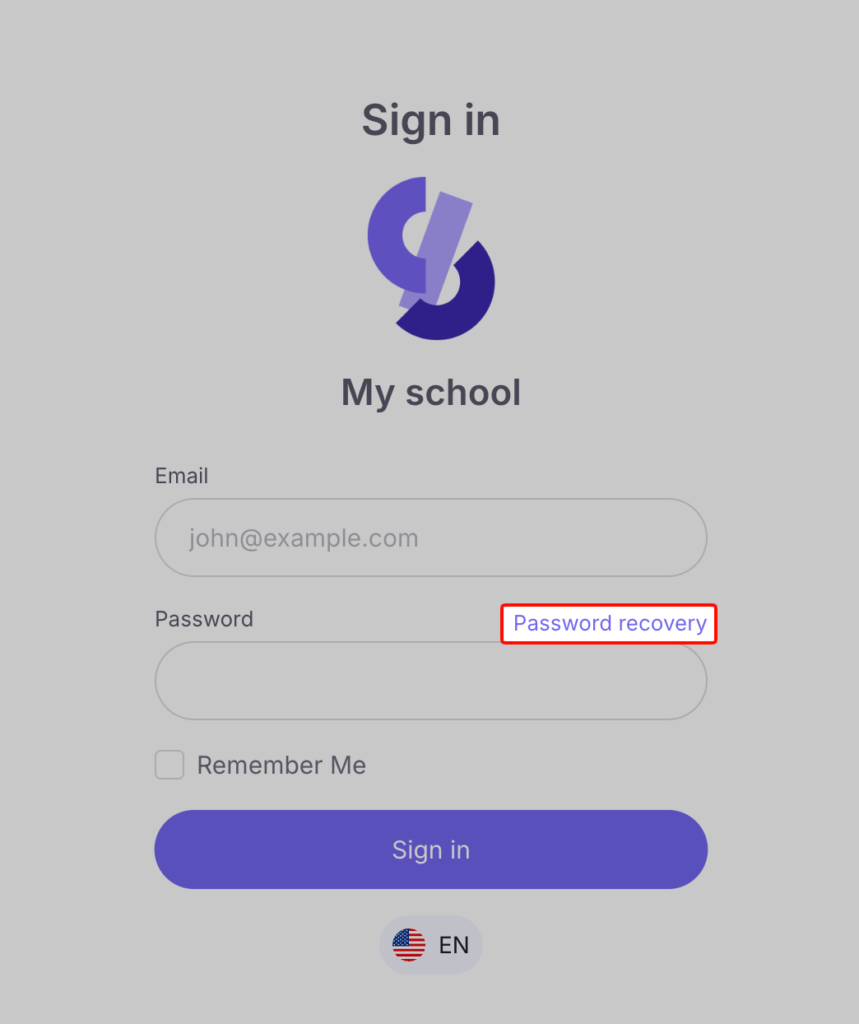
- On the login page, click “Forgot Password”
- Enter your email address and click “Send Password Reset Link”
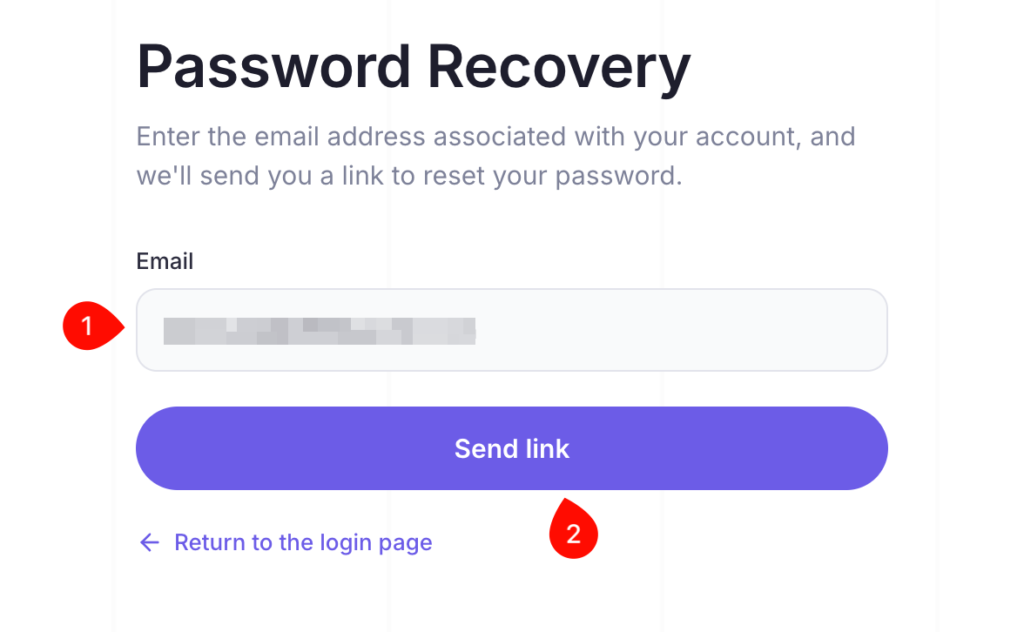
- You will receive an email. Click “Reset Password”
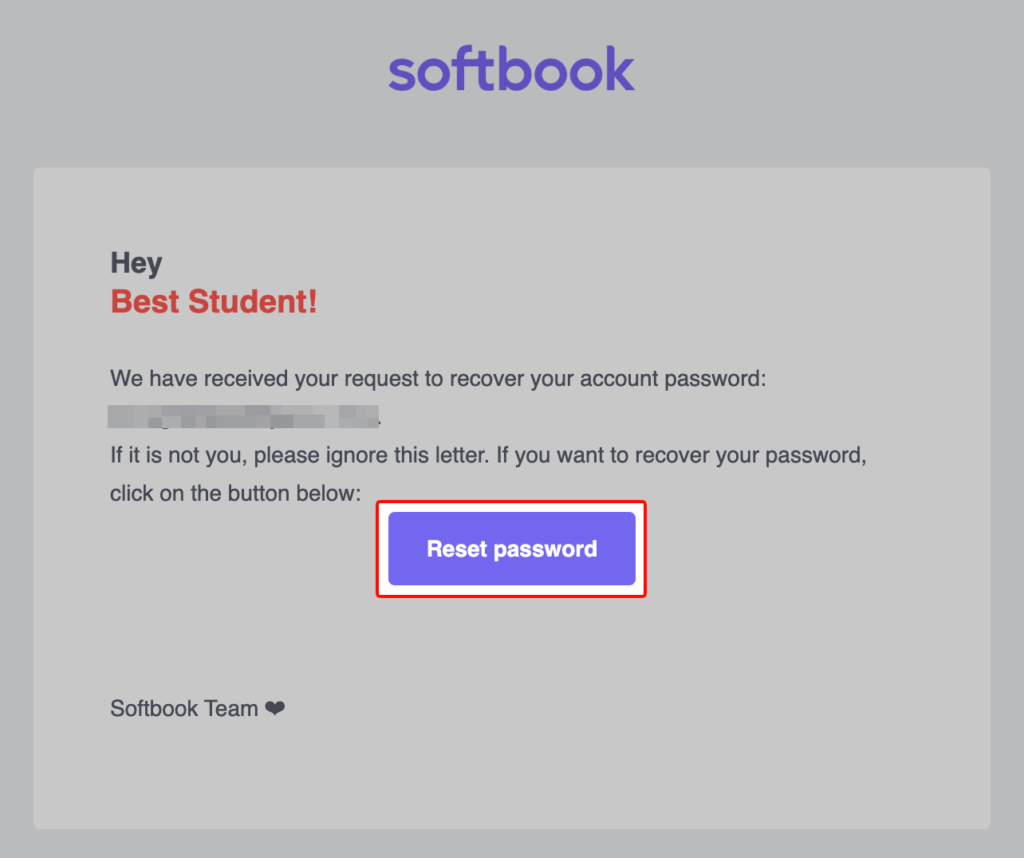
- Enter your new password.
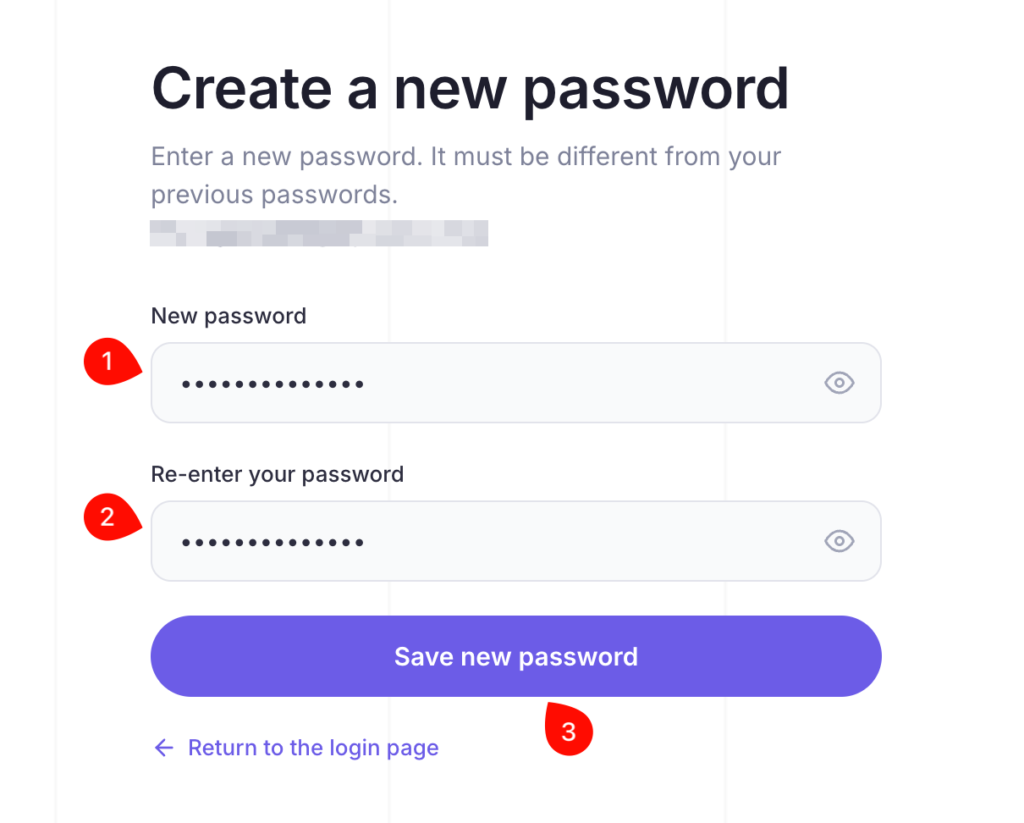
After resetting your password, sign in to your account and open your school in the “My Online Schools” section.
You can also reset your password directly using this link:
https://accounts.softbook.app/forgot_password
If you still have questions about resetting your password, please contact your school’s support team.
FAQ
- Why doesn’t the password work?
First, check if you entered the password correctly. If you are copying it from an email, make sure you didn’t copy extra spaces at the beginning or end, as a space is considered a separate character. Try entering the password manually, as autofill might insert incorrect data. If the password still does not work, reset it via the recovery form or contact your school’s support service. - Why didn’t I receive an email after paying for the course?
We recommend checking all mail folders first: Spam, Promotions, Notifications, and others. If the email is not in these folders, you likely provided an incorrect email address when purchasing the course. To resolve this issue, you need to contact your school’s support service. - Why is access to the course / lesson closed?
Access to a course may be closed for several reasons: the course took place on specific dates and is now finished, or the access period has expired. As for lessons, access may be restricted if they are not yet open according to the schedule or if access was restricted by the school administration. To find out the exact reason, we recommend contacting your school’s support service. - Why does it say the school is inactive?
Softbook LMS is a platform where online schools host their courses. If a school has not paid for our services, it becomes inactive, and access to the courses is closed. To find out how to continue your studies, please contact your school’s support service. - Why won’t the video play?
The main reason for video playback issues is an unstable browser. We recommend using the Google Chrome browser. If changing the browser does not help, clear your cache and cookies (for all time), turn off your VPN, or contact your internet service provider (traffic blocking is possible). If nothing helps, write to the school’s support.



 Book a demo call right now!