

Overview
Gamification means using game elements in learning — such as points, badges and achievements — to motivate learners to engage more actively with their courses. In Softbook LMS, this tool helps you increase student engagement, create a sense of competition and make the learning process more engaging and effective.
The Gamification section includes 4 subsections:
- Rewards
- Points
- Statistics
- Settings
In the Rewards subsection, you can create custom rewards that match your course theme and set up scenarios in which these rewards will be granted to your students.
In the Points subsection, you can define rules (conditions) under which students will earn a specific number of points.
Statistics — here you’ll see student lists (separate for rewards and points) along with their scores and accumulated points.
Settings — this is the first section you should visit to activate gamification for your school. In this post we’ll go over what can be enabled in this section.
Student Leaderboard
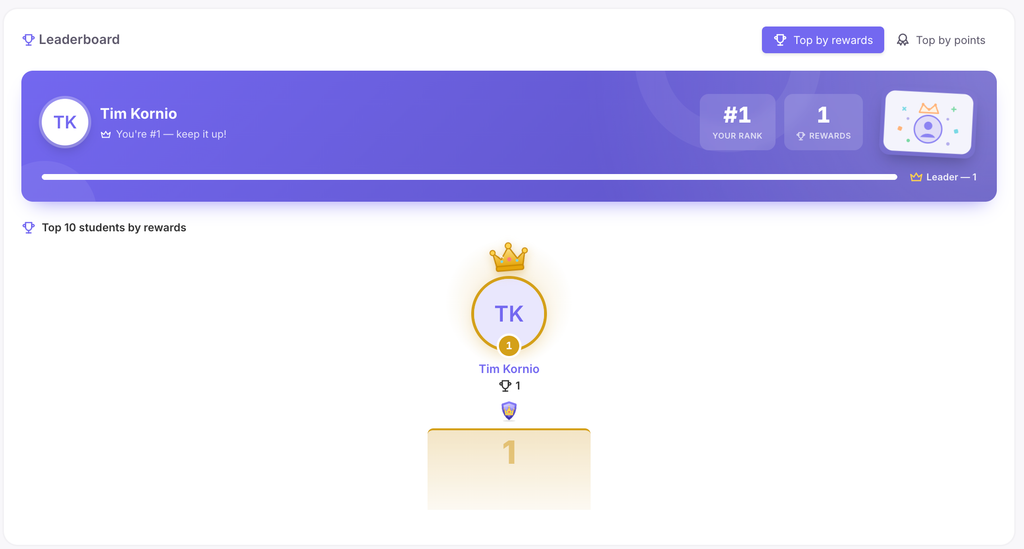
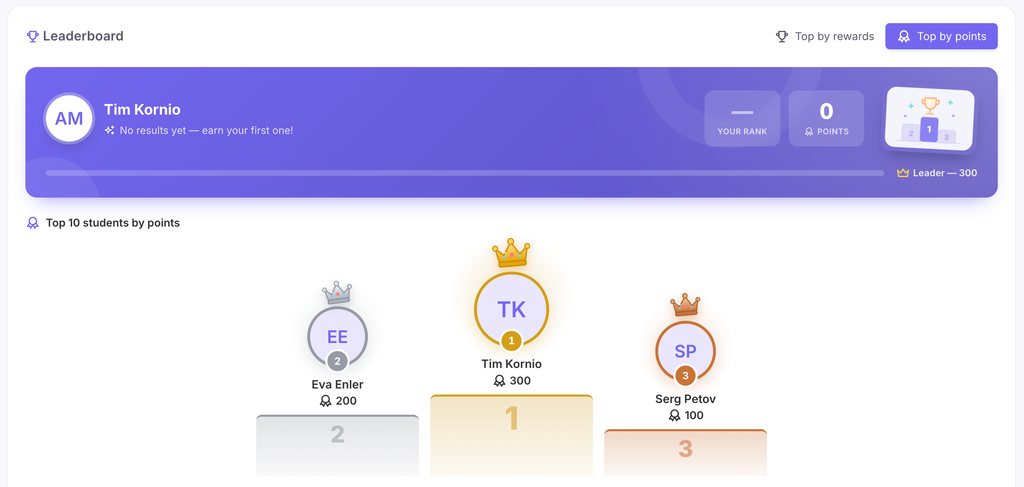
In the student account, there is a “Leaderboard” section with two tabs: “Top by Rewards” and “Top by Points.”
- At the top, the student’s own card is displayed: their current rank, the number of rewards or points, how many are left to reach the next rank, and the overall progress toward the leader.
- The top three leaders are placed on a special pedestal with gold, silver, and bronze crowns, while the remaining ranks are displayed in a regular list.
- If the student is not yet among the top performers, their row is automatically displayed at the bottom of the list.
- In the “Top by Rewards” tab, the leaders’ unique badges are visible under their names. Clicking on a badge opens information on how to obtain that reward and whether the student already has it. Students who have not yet earned any points or rewards are not included in the general leaderboard.
“My Rewards” Page
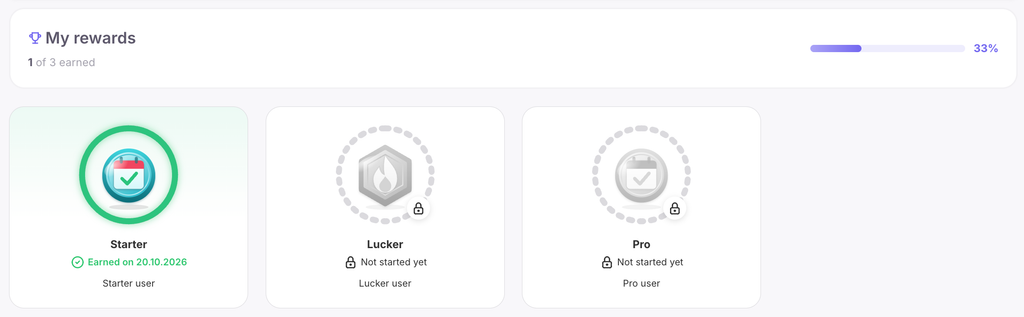
In the “Rewards” section, the student sees all available school rewards and general statistics on how many of them have already been received. Earned rewards are automatically sorted to the beginning of the list, while a special progress ring is displayed for the rest. Clicking on any reward opens its detailed description and the conditions required to earn it.



 Book a demo call right now!