

Monobank Integration
To sell your courses to students directly within the online school, as well as your school’s products anywhere, you will need to connect and configure a payment system. If you have chosen Monobank for this, you will need to follow a few standard steps:
1. Log into your school and go to Softbook Store, open the “Payments gateways” item.

2. Select the Monobank. Click on it, then click the “More info” button, and then click “Install”.

3. A page with a single field for entering the token will open. See the Monobank instructions on how to get your token: https://api.monobank.ua/docs/acquiring.html
4. Monobank offers 2 types of tokens: test and “live”, which is the one that will be used for accepting payments from real clients. Insert the obtained token into the appropriate field. The system will automatically determine its type – test or live.
Transfer data for fiscalization (cart)
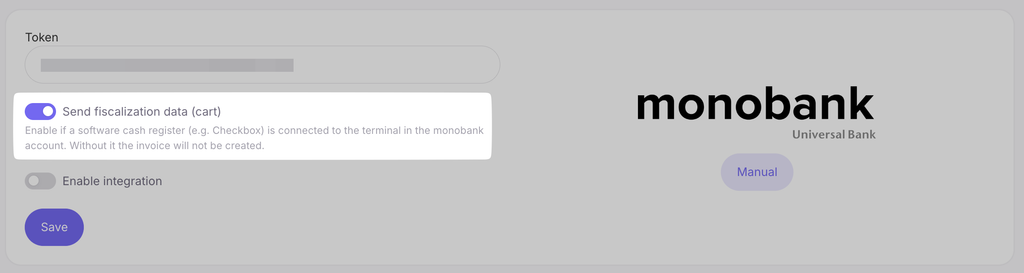
In the integration settings, there is a switch “Transfer data for fiscalization (cart)”.
Turn it on if a software cash register (PRRO, e.g., Checkbox) is connected to the terminal in your monobank account. Without it, monobank will not create a payment invoice, and the student will not be able to pay. If a software cash register is not connected, you do not need to turn on the switch.
What happens when the switch is turned on:
- The cart is transferred to the payment invoice — based on it, the software cash register generates a receipt for the payment amount.
- If the product price is in another currency (USD or EUR), the invoice is issued in hryvnias at the current monobank exchange rate so that the receipt amount matches the payment amount.
- A refund of such a payment from the monobank account is processed without an error regarding a mismatch in the amount of goods.
5. Activate the “Enable integration” option and click the “Save” button.
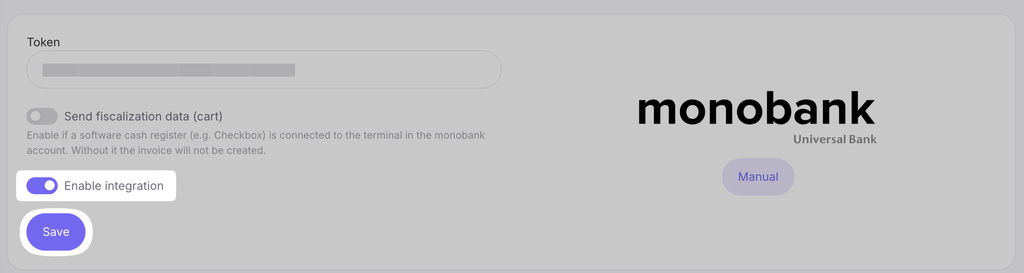
Done! Monobank is integrated into your school. Now you can use it to accept payments.
Important: the Monobank integration on our platform supports payment processing in only three currencies — USD, EUR, and UAH.



 Book a demo call right now!