

Creating a course with AI
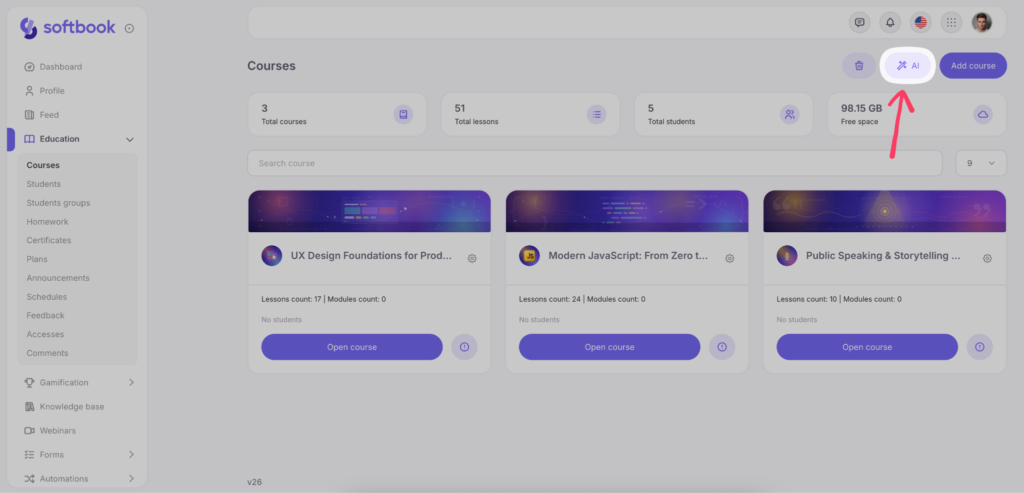
In Softbook LMS, you can use artificial intelligence assistance to significantly speed up the process of creating your courses. To do this, go to the “Education” → “Courses” section.
In the workspace on the right, next to the “Add Course” button, find the button with the magic wand icon and click it.
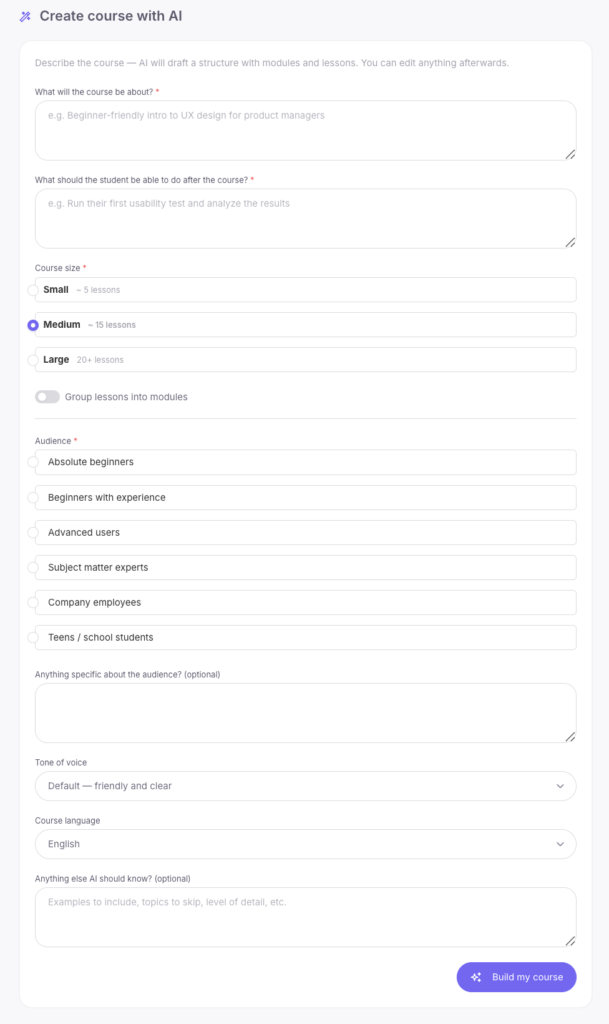
The AI generation settings window will open. Fill in the required fields so the artificial intelligence can prepare the most accurate course structure for you:
- What is the course about? — briefly describe the topic.
- What should the student be able to do after the course? — specify the main outcome students should achieve.
- Course size — choose the appropriate course volume:
- Small ~ 5 lessons;
- Medium ~ 15 lessons;
- Large 20+ lessons.
- Group lessons into modules — enable this toggle if you want the AI to divide the program into logical sections (modules).
- Audience — select who the course is intended for: complete beginners, beginners with experience, advanced users, industry experts, company employees, or teenagers/school students.
- Anything special about the audience? — an optional field where you can specify additional details about your students.
- Tone of voice — choose the style of content delivery (for example, standard — friendly and easy to understand).
- Course language — select the language in which the AI should generate the content (for example, English).
- What else should the AI know? — optionally add examples, specify topics to skip, or clarify the desired level of detail.
After filling in all the parameters, click the “Create My Course” button.
Within a few seconds, the AI will generate the structure of your course and even add several suggestions and drafts for each lesson. Now you have a foundation to continue working with. This greatly simplifies the situation when you don’t know where to start!
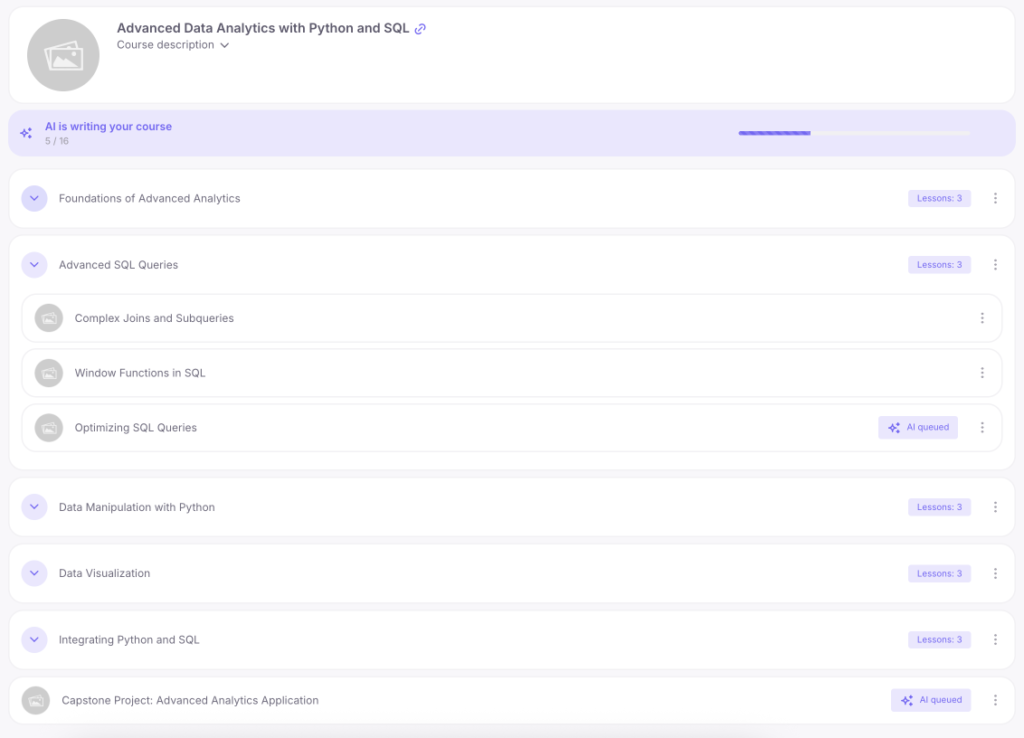
Further work on the course is no different from the standard manual creation process — you can rename, delete, and add lessons, as well as fill them with content, homework assignments, and tests.
Detailed information about course settings and content is covered in this article.



 Book a demo call right now!